
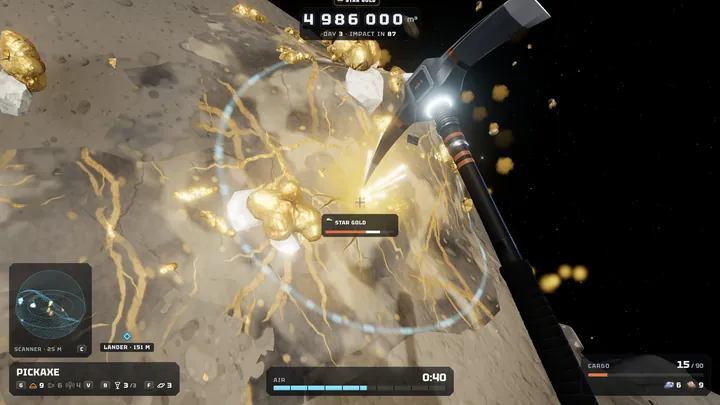
Mine the asteroid
Break rock and collect ore while your air lasts. Leave enough time to return to the lander with your haul.
Plan a safe return
First-person space mining
You have 90 days to mine away an asteroid on a collision course with Earth. Bring back ore, sell it aboard the ship, and spend the proceeds on the next shift.
Official video · Unruled Games
See what it looks like to work a shift on the asteroid. The video starts muted.
Watch on YouTube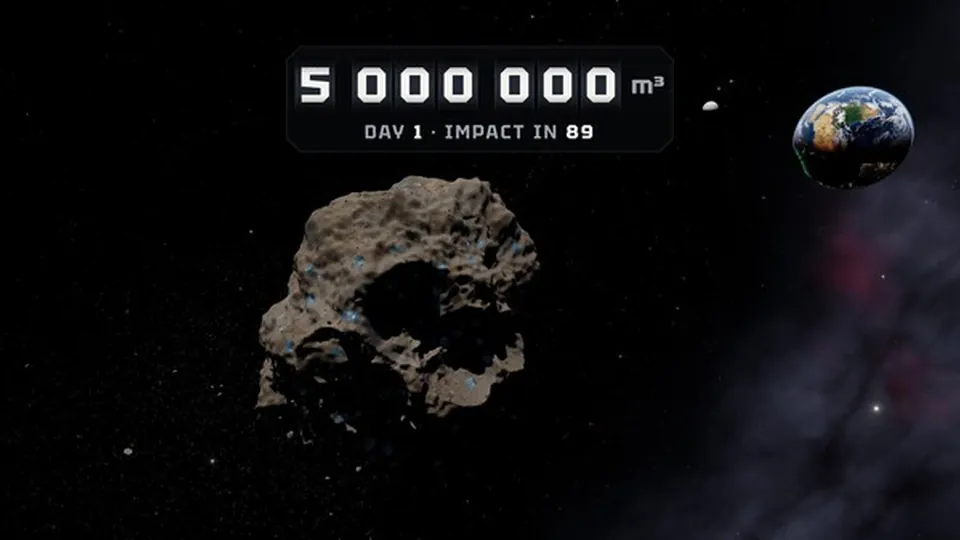
Take a lander down to the rock, then turn what you mine into equipment for the next trip.
Break rock and collect ore while your air lasts. Leave enough time to return to the lander with your haul.
Plan a safe return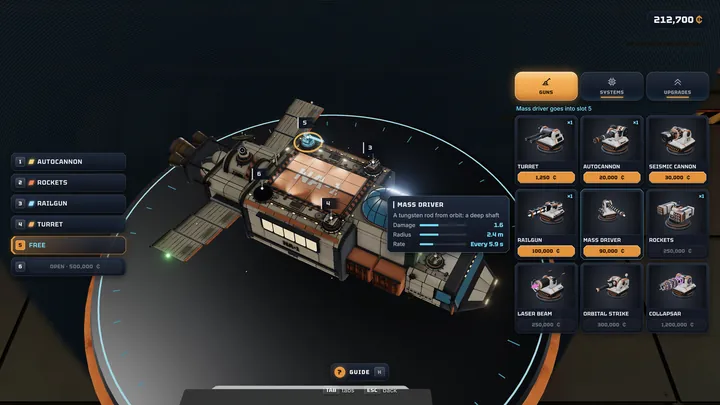
Sell your ore aboard the ship to buy stronger hand tools or fit the ship with guns that can clear rock while you dig.
Choose a mining tool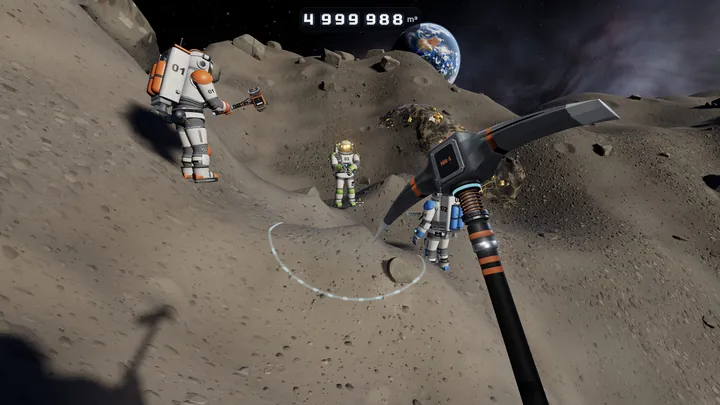
Play solo or with up to eight people online, including the host. The host keeps the campaign save and controls who can spend from the shared wallet.
Host or join a crewOn a fresh save, start with the beginner guide. It takes you from the Hangar to the first sale and shows you what to buy with it. Open the oxygen guide if you have found a vein but cannot reliably bring the ore back. A short return route you can repeat does more for the early budget than a long trip that ends outside the lander.
When the route works but the face barely breaks, use the mining tools guide to compare the Workshop cards. If you can fund the next upgrade but the asteroid’s volume has barely changed, check how to mount and enable ship guns. The gun can work while you mine. Watch the remaining volume and check whether loose ore makes it into the hold.
Use the 90-day walkthrough when you already know how to run a shift and want to check your pace. It covers the opening budget, the middle upgrades, and the sweep for leftover fragments. If you are bringing friends into an existing campaign, start with the co-op guide to choose the host, agree who can buy gear, and coordinate departure.
When a guide mentions a day gate, compare it with the card in your Workshop or Engineering tab. The timed first year is the reference for the main walkthrough. No Rush uses different day and impact rules. A later year can give you a new asteroid, and the core in an older save can differ from a newly generated one. Check the guide’s version note if a price, control or option looks different in your game.
If you came for a key binding or a save folder, go straight to the setup guides. If you are approaching the end of the contract, work through the final-fragment check before comparing the remaining volume against the endings guide. The guide keeps the certificate names behind a spoiler control. Once you have closed the contract, use the campaign guides to decide between another job with your current gear and a new year.
Get through your first shift and find your place in the main contract.
Choose a hand tool, keep an eye on your air and sell your haul.
Pick a gun or drone and get the ship ready for another shift.
Get a crew together and find out whose save tracks the campaign.
Choose a mode or decide what to do after the contract.
Try the demo and check your controls or saves.
Look up a Steam unlock or track what belongs in the museum.
Free Steam demo
The full game is available on Steam for Windows and Apple Silicon Mac. The developer’s November 13 announcement describes the free demo as the first 20 in-game days, with optional online co-op. The demo launch notes confirm same-computer save carryover to the full game.
Read the Steam demo guideLand near an exposed seam, mine with the Pickaxe, and board with enough air to spare. Sell that haul at the Trade Terminal in the Hangar. See whether air, cargo space, or time spent breaking the face limited the sale before choosing the first upgrade.
The standard By the contract mode gives you 90 in-game days before impact. Read the actual remaining volume for your result. No Rush removes the impact deadline and lets you clear the asteroid at your own pace. Check the separate No blackouts option if you want to change the blackout rules.
Try the next Workshop tool when you can reach ore easily but the Pickaxe spends most of the shift breaking a small face. If you already break it promptly and fill the bag by the lander, spend the next sale on capacity. The meter that ends the trip is the best clue.
Up to eight, including the host. The host keeps the campaign and decides who can spend from the shared wallet. Before you land, agree on who starts the return so everyone can confirm they are aboard before departure.
The developer confirms that a demo save can carry over to the full game on the same computer. Open Load Game in the full game and verify your campaign before starting a new one. For a shared campaign, check the save on the host’s computer.
Check the developer’s patch notes for changes to equipment, controls and co-op.